Marvel Rivals
How to find your Marvel Rivals UID
Find your Marvel Rivals UID, read it correctly, and see why the top-up form needs no server field.
How to find your Marvel Rivals UID
Marvel Rivals top-ups on 930.games go to your account's UID. It is not your display name and not your login.
Step by step
- Launch Marvel Rivals and log in to the account you want to top up.
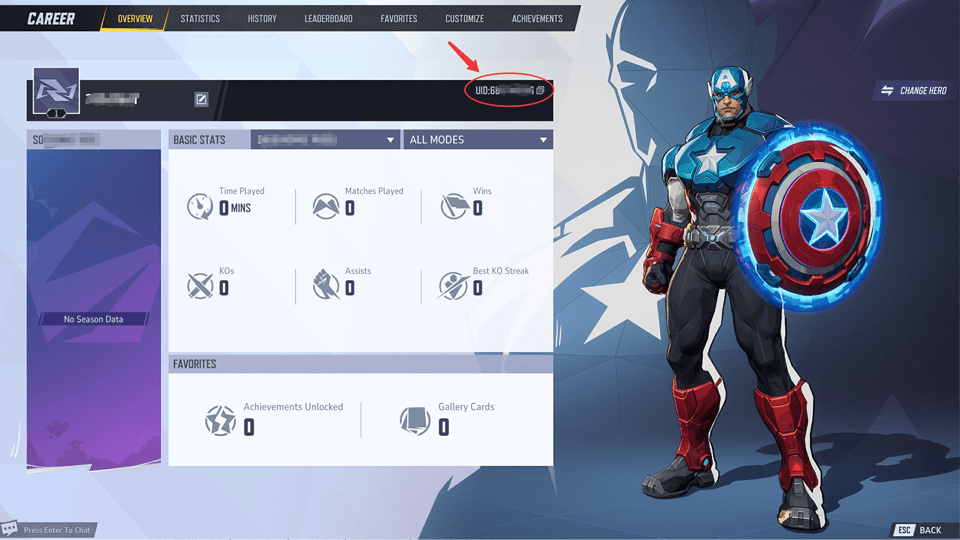
- Open the CAREER screen and select the OVERVIEW tab.
- Your UID is at the top right of the profile banner, shown as "UID:" followed by a number.
- Use the copy icon next to the UID, or take a screenshot. Don't work from memory.
- Before pasting it into the order page, compare the first and last few digits with the game screen.
The official example shows the PC client. If you can't find it on console, email support@930.games before ordering.
Official video
Do you need a server?
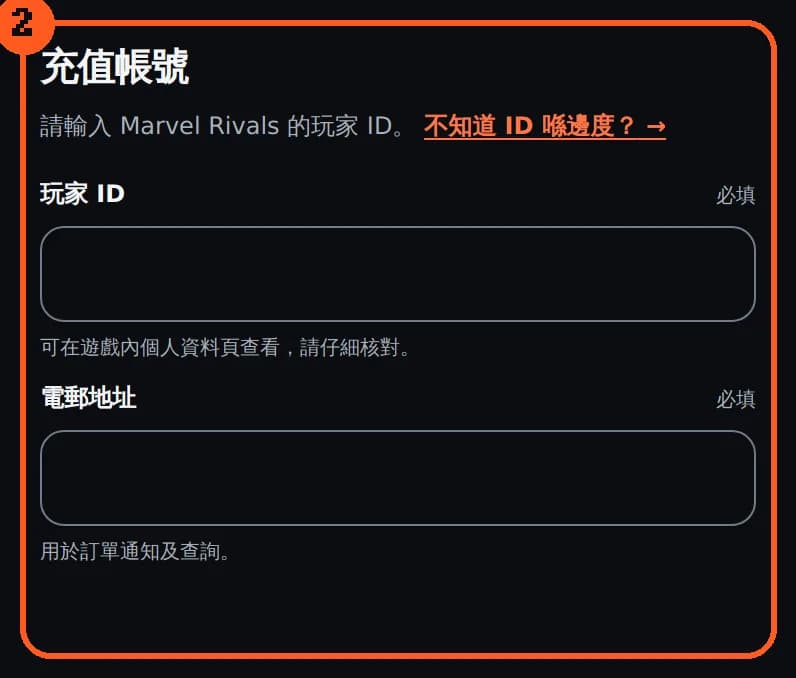
The order form asks for the UID and an email address only, with no server field. But 930.games supports the Marvel Rivals international edition / global server only. Other regional editions are not supported, so check which edition your account is on before ordering.
If you use cross-progression (Epic, Steam, Loading Bay, PlayStation, Xbox), every linked account plays the same character. Progress and paid content stay on that character. Only rank and leaderboards are kept per platform. Accounts you haven't linked have their own characters, so enter the UID of the character you actually play.
Common mistakes
- Entering the display name. You need the number after "UID:".
- Dropping digits. Use the copy icon, then compare the last four digits after pasting.
- Using another account's UID. For example, a friend's or an unlinked platform account.
After payment
Lattice is credited to the UID you entered. For delivery timing and what to do if it doesn't arrive, see the order page and the Refund Policy. Orders that can't be delivered because the account details were wrong are not refundable under the policy, so check before you pay.
FAQ
Is the UID the same as my username? No. The UID is the number after "UID:" on the CAREER screen.
Do I need to enter a server? No, but only international / global-server accounts are supported.
What if I entered the wrong UID? Email support@930.games with your order number straight away. Orders affected by incorrect account details are not refundable under the Refund Policy.
Common questions
Is my UID the same as my display name?
No. The UID is the number shown after "UID:" at the top right of the in-game CAREER screen.
Do I need to enter a server or region?
There's no server field, but 930.games supports the Marvel Rivals international edition / global server only.
What if I entered the wrong UID?
Email support@930.games with your order number straight away. Orders that can't be delivered, or go to the wrong account, because of incorrect account details are not refundable under the Refund Policy.